
Achieve More Visibility with Your Linkedin Profile
Get More Eyeballs On Your Linkedin Profile
(updated January 18th 2025)This article is on improving Linkedin visibility, and that with the help from your Linkedin profile.
If you notice that there’s not much happening in months - you’re not getting enough views on your Linkedin profile (you can track that in the statistics section on Linkedin, the numbers change on a weekly basis), then it’s high time to be active and chisel your mind to make the most of Linkedin to achieve higher visibility with your Linkedin profile.
You’ve got to redo your Linkedin profile!
Not everything!
Start with your Summary (the About section)!
You know — that Linkedin profile section containing 2000 characters.
Write how the client can benefit from your service.
Because that’s what experts say — write as if you were talking to the client.
Win him/her over.
Happy with the Number of Views on Your Linkedin Profile?
I’m very much not keen to redo my Linkedin Summary section, because it has served me well.
On first joining Linkedin (somewhere in 2012), I did my best to complete each section in my Linkedin profile.
I didn’t write it by the book (you’ll see that later on in the article—the rules).
I didn’t use the YOU to immerse the client into my proposition. And I didn’t make it overly client-centric.
I believed the style of my writing, the art of copywriting shown there was enough to awake interest in potental customers.
But, I’ll show you how to optimise your Linkedin profile to get more visibility:
This is the Way to Improve Visibility of Your Linkedin Profile
To start optimising your Linkedin profile you also have to keep track of the changes in the Linkedin statistics happening weekly.
Each week you’ll see how many people saw your Linkedin profile.
That doesn’t mean that they clicked on it, but there’s a big likelihood that they opened it up and read first what your headline offers.
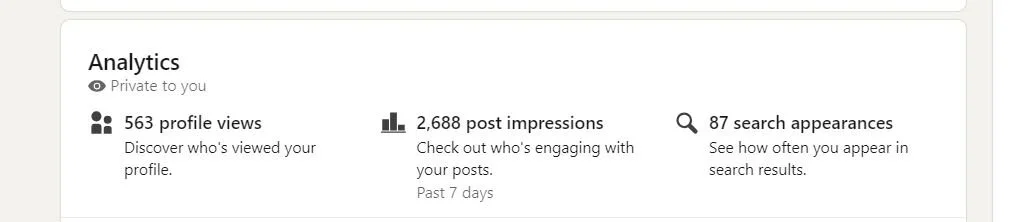
This is my Linkedin analytics section (June 17th 2024)
Right after you click on your name, a new page will open with the banner up above, your photo and the headline, where you have added at least 2 relevant keywords. Keywords help achieve more visibility, when people search Linkedin profiles that correspond to the keyword you used.
There were 563 views on my Linkedin profile: that many people got the chance to see my Linkedin profile.
On having seen it, some wanted to connect with me, and some asked questions about the copywriting services I provide or wanted to know how much I charge for writing SEO optimized blog articles.
You can increase the number of views each week by commenting and posting, but first and foremost your Linkedin profile must be in good shape!
Elements to Work on to Make Your Linkedin Profile More Visible
There are many elements to consider when you want to make your Linkedin profile stand out in the search section. These steps below are necessary to start off some good things happening with your Linkedin presence.
Change the URL Link of Your Linkedin Profile
I’ve seen experts naming the last bit after your name a “sausage” (e.g. julian-porter-2567h8), which is a mix of letters and characters that come after your name.
Never let such a sausage be attached to your name for your Linkedin profile!
(2024 mine was:
https://www.linkedin.com/in/mariannmakrai-seo-copywriter-translator-croatia/
and now in 2025 it’s: https://www.linkedin.com/in/mariannmakrai-seo-copywriter-croatia)
What you have to do is edit that in the Profile editing section, and here comes the thing that I didn’t know before — here you can add the relevant keywords you want to be found for.
The URL address of my Linkedin profile is in yellow below.
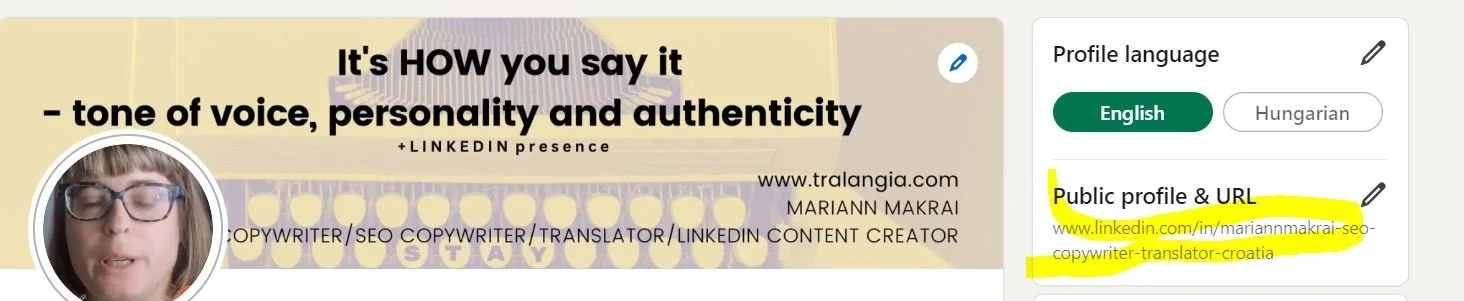
Editing the Linkedin profile section - to the right you can edit the URL link
You see?
Now that’s where to put out your name and the keywords.
I thought before I read this on a site of an agency performing SEO, that it was enough just to add your name and do away with that “sausage” after it.
Well, that was just half of it.
When you’re done with this part, have a look which sections can be filled to complete your entire Linkedin profile.
These 16 sections! are needed to improve your overall impression for Linkedin users, following SEO guidelines. More on that later.
What I did in 2024 was that I added “seo”, “copywriter”, “translator” and “croatia”. The keywords separated by a hyphen. That’s how it’s done in SEO.
There’s place for 60 characters here just like in a valid SEO title when you create blog posts.
Now that you’ve found this out, do this with your Linkedin profile.
2. Update the About/Summary Section in Your Linkedin Profile
The Linkedin Summary Before
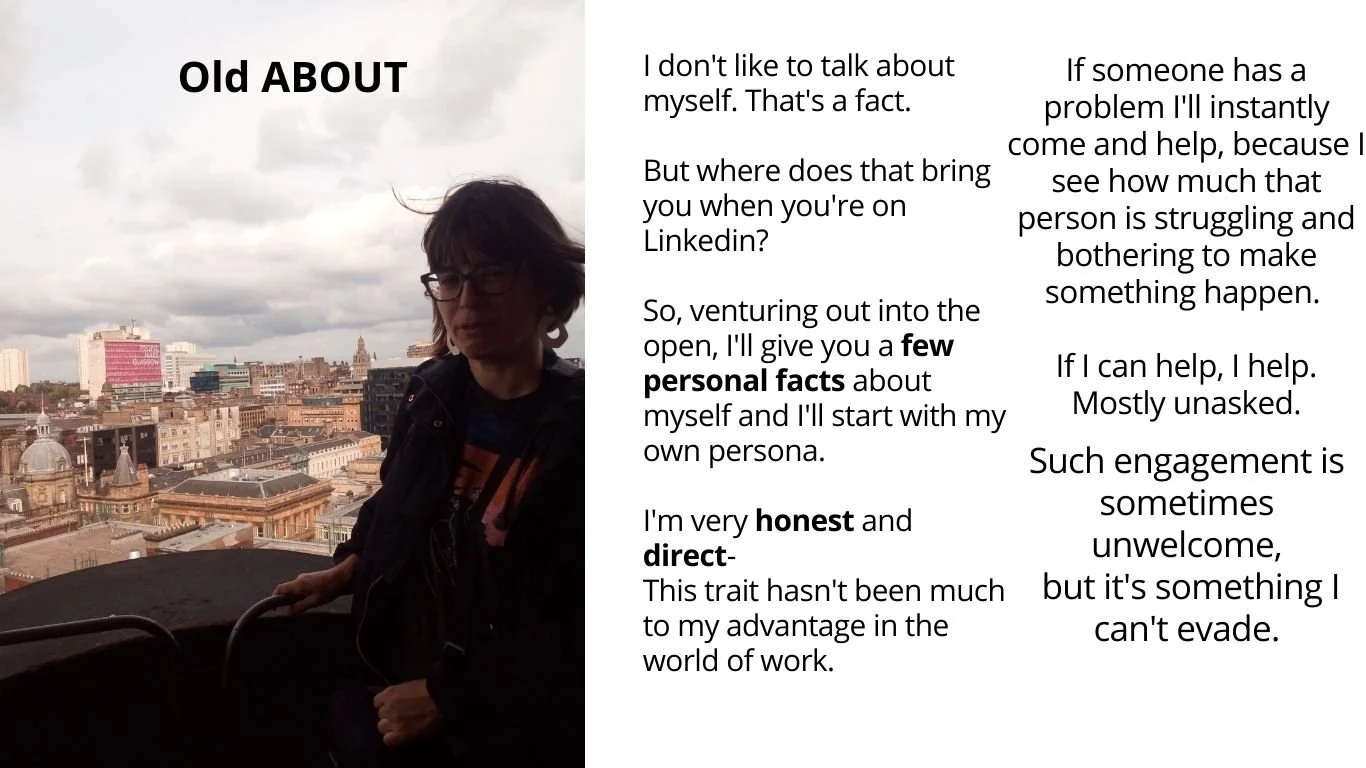
Neglect the photo here - it’s too dark, i know. And I’m not that much looking at you.
Just look at the content of this section. This was before.
And this is now - the new Linkedin summary section!
The New Linkedin Summary
Look at the following parameters:
am I still writing in the 1st person?
is the focus now more on clients? Am I telling them how they can profit from my services?
what about the use of keywords?
what about text formatting? (spaces between the text, H1, words in bold etc.)
how do I begin this section?
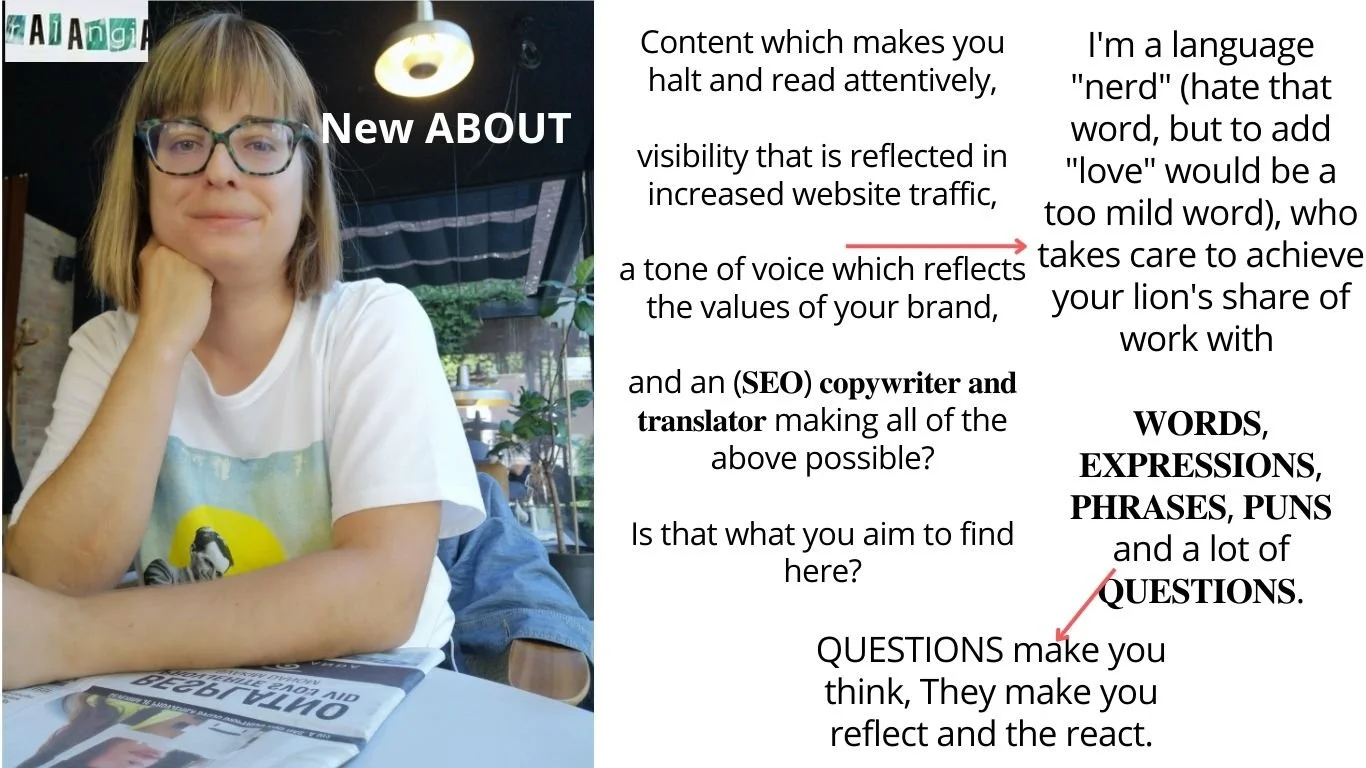
the new Linkedin summary section
Improved the writing by focusing more on the client. This is visible in the use of YOU.
I’m inviting you to have a try at this yourself, or you can book a 1:1 Linkedin consultation with me, and we’ll upgrade your Linkedin profile, so that you won’t need to change it at least for the next 2 years (provided you stay in the same industry and work on your personal brand).
Or you can read my e-book, also available on Gumroad on how to increase views on your Linkedin profile (43 pages, in English)