
A Good Linkedin Summary That Will Get You The Job
Elements Making A Good Linkedin Summary
A good way to increase the likelihood of an employer or potential customer interested in your services on opening your Linkedin profile is to use keywords in your headline.
But the headline actually isn’t what we call a LinkedIn summary. It’s an introductory part, which
After a potential new lead visits your LinkedIn profile, it’s very likely that they’ll carry on reading what’s there in your LinkedIn summary (or the About section).
If you have one.
And the headline first is the inviting point to it. It summons the potential customer to find out more about you.
The LinkedIn Headline Invites Further to the LinkedIn Summary
The headline in your LinkedIn profile is some 220 characters long. But only 60 characters show.
So, make sure you put your chosen keyword for what you want to be known for inside the first 60 characters!
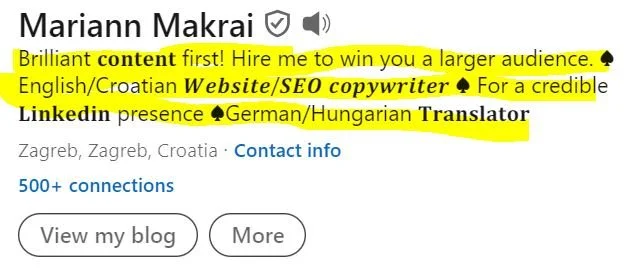
This is my old Linkedin profile headline, but you see that it has a lot of keywords in there. I want to be mostly known as an seo copywriter. After that, a Linkedin content creator with a knack for writing.
Above you see my own headline, although it doesn’t have a keyword in the first 60 characters (maybe “content” could be seen as one)
Why is that bad and why didn’t I insert a keyword when I should have?
It’s bad, because it doesn’t start off with a relevant keyword.
As you probably know, keywords are important for SEO. They drive visitors to your website or LinkedIn profile. Using a keyword people often use will make your profile more visible.
When a customer or employer searches for a particular person they want to hire or get in touch with, they’ll enter a keyword that will display the profile results of those who match that keyword.
Not using a keyword in the first 60 characters of your LinkedIn profile blocks that door.
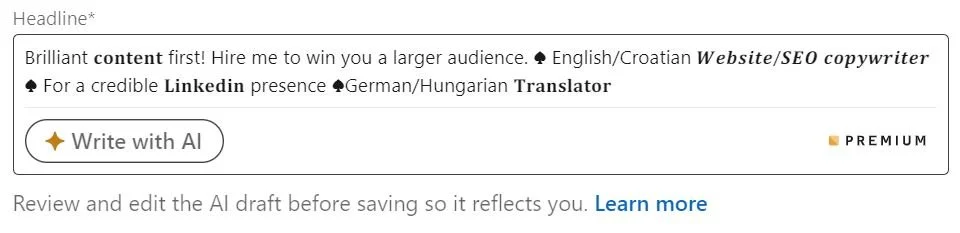
You can use AI to make your LinkedIn headline better.
Being a copywriter, I didn’t want to put that restraint on my profile copy, so I
decided to highlight the benefit the customer will get if they contact me.
I didn’t want to use AI, although it can be beneficial for your copy.
Keywords are nouns, basically. They say what you are. Not what you can do.
And the latter is more important for a copy.
For a copy to attract the reader, it must tell the reader how it can solve existing problems, alleviate their pain etc.
That’s why I didn’t put a keyword into my LinkedIn profile.
If you have a good headline, the visitor will scroll further down your profile, and then they’ll see your Linkedin summary.
The LinkedIn Headline = the Shortest Form of a Linkedin Summary
To make both interrelated, the LinkedIn headline and the LinkedIn summary should have the same keywords.
So, in my case, I could have put all the keywords coming after my pitch (Brilliant content first!) ahead. Then elaborate on them in the LinkedIn summary.

(A max of 220 characters is allowed in the LinkedIn headline. Highlight the keywords).
Because that’s what happens with a good LinkedIn summary - you get a wider picture, but you still use the keywords you introduced in your headline.
So, what makes a good LinkedIn summary?
What Makes a Good LinkedIn Summary?
Apart from the writing a solid Linkedin summary I showed you in the previous post, I’ll provide you with a list of tips on how to nail a LinkedIn summary answering all the uncertainties a potential customer might have.
When you give all the answers, you’ll be the customer’s best choice.
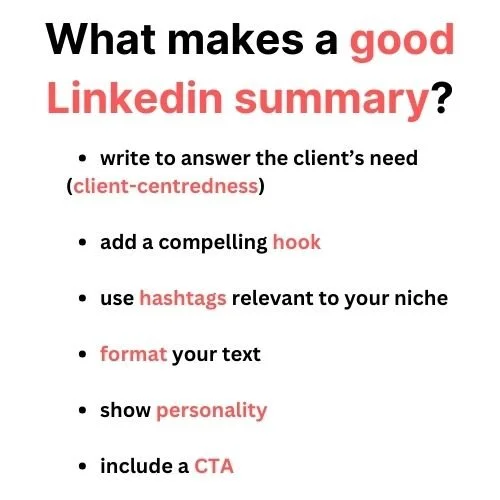
Client-Centredness is a Characteristic of a Good LinkedIn Summary
Here’s What You Got to Do to Own a Good LinkedIn Summary:
Write from the angle of the potential customer
Use a compelling hook to raise interest
Use hashtags in your LinkedIn summary
Use good and clear formatting
Write from the angle of the potential customer
A lead, customer, or employer wants to know why you’ll be an asset to them.
It’s always good to showcase past projects with clients or employers. Business successes.
This part of your summary shows that you care about the person who’s going to read the text and that you want to come across as knowledgeable, competent, and motivated to connect and work together.
2. Use hashtags in your LinkedIn summary
In Boosting Your LinkedIn Visibility: How to Effectively Use Hashtags in Your Posts, LinkedIn shared insights into how using hashtags can increase your profile’s visibility.
Although focusing more on putting hashtags in posts on LinkedIn, it also mentioned some tools that tell you which hashtags are popular related to your business niche.
So, you can try using Hashtagify or RiteTag (it finds you the best hashtags for your content based on real-time hashtag engagement data).
3. Have a strong hook in your LinkedIn summary
Coursera’s suggestions on writing a good Linkedin summary stress the importance of having a compelling hook in the first 300 words
(remember the rule I disobeyed: put your relevant keyword in the first 60 characters in your Linkedin headline?)
Why are the first 300 words so important?
Because the reader gets to see these 300 first and decides whether to see more (it’s then the “see more” button comes).
How you open your summary will determine how much of the text is read.
You can bold different headings that you'd like to feature (e.g. Projects, Press, Interests) so they are easy to differentiate.
An opening like this will make the cut:
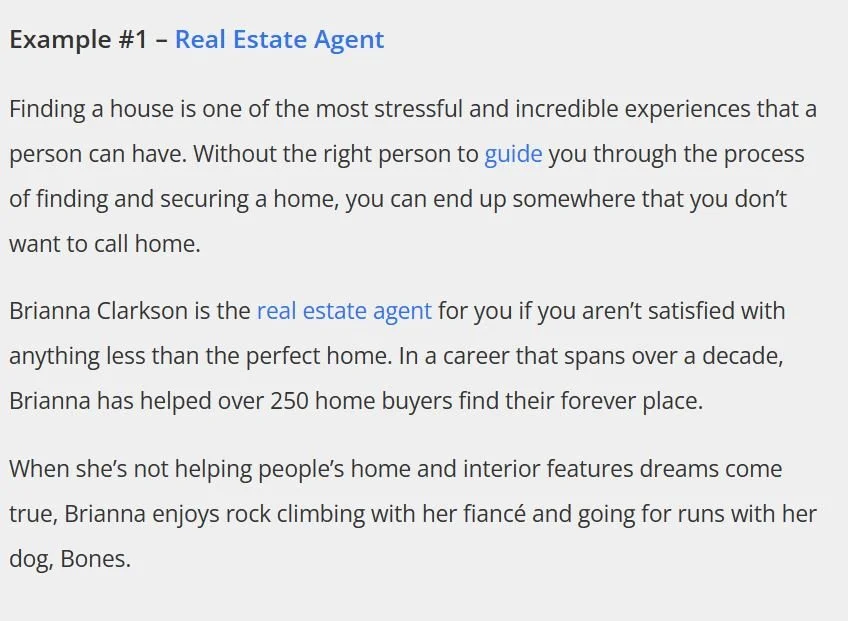
This example above starts with problem many people face when they want to buy a property.
Who to turn to?
The LinkedIn summary closes with interesting facts about the person.
Add your own personality here - what you like and how you spend your time when not at work.
The LinkedIn summary below starts with the reasons why the person is involved in social marketing.
Reasons behind a profession point to the person’s motivation and the willingness to be efficient at the job the person’s doing.
The person then stresses her USP (unique selling proposition) - what makes them different from other service providers (working with large companies, dedication to helping businesses grow).

4. Use Formatting to Create a Good LinkedIn Summary
Just like with the headline, you can add bold, italic and other non-traditional font formatting on your LinkedIn profile.
Your text becomes more scannable then. More readable.
You help the reader by pointing out what’s important in your LinkedIn summary.
You can, for example, bold different headings that you'd like to feature (e.g. Projects, Press, Interests) so they are easy to differentiate.
I’m no fan of emojis, but they are also a form of formatting. They add lightness and some freedom to the summary.
If you’re no fan of emojis either, you can always achieve a good impression and show that you have invested some time into crafting your summary content by writing short paragraphs of text. This part of the summary is about the OUTLOOK of your text.
If we take Vicki Ross’s text, who’s a great English copywriter, a fellow colleague in my other business niche, copywriting, we see that she really kept it short (and sweet?).
Only 5 sentences.With empty spaces in between.
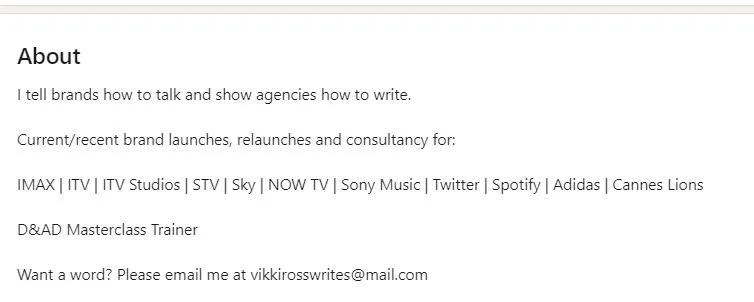
She says what she does (helps brands talk), she says who she does it for (brands and agencies) followed by recent work (all big names). She also educates (spreads her knowledge). The ending is a CTA (you can write her an e-mail, if interested).
The things missing here are “more personality” (a necessary bit) and hashtags (maybe not that important for her, because she’s well-known).