
Write That LinkedIn Post That Will Get You More LinkedIn Profile Views
LinkedIn has evolved from a digital resume repository into a vibrant professional community.
But not many people would agree with that. They might even say that Linkedin is becoming more like Facebook.
For anyone looking to grow their network, attract new opportunities (read my blog article on reaching new clients), or establish themselves as an industry voice, learning to write LinkedIn posts is essential.
Yet, for many, the blank postbox can feel daunting.
Questions to Clear Out of the Way Before Writing a LinkedIn Post
How do you start?
What should you say?
And most importantly—how do you write LinkedIn posts that actually get people to check out your profile?
This guide will walk you through the process, offering actionable tips and examples, and linking you to further resources to help you master LinkedIn content creation.
Why Write LinkedIn Posts?
Before diving into the “how,” it’s important to understand the “why.” Regularly posting on LinkedIn helps you:
Increase your visibility within your industry and build a personal brand on Linkedin
Attract profile views from recruiters, clients, or collaborators
Build credibility by sharing your expertise and insights
Foster engagement and conversation with your network
When you write LinkedIn posts that resonate, you open doors to new professional opportunities.
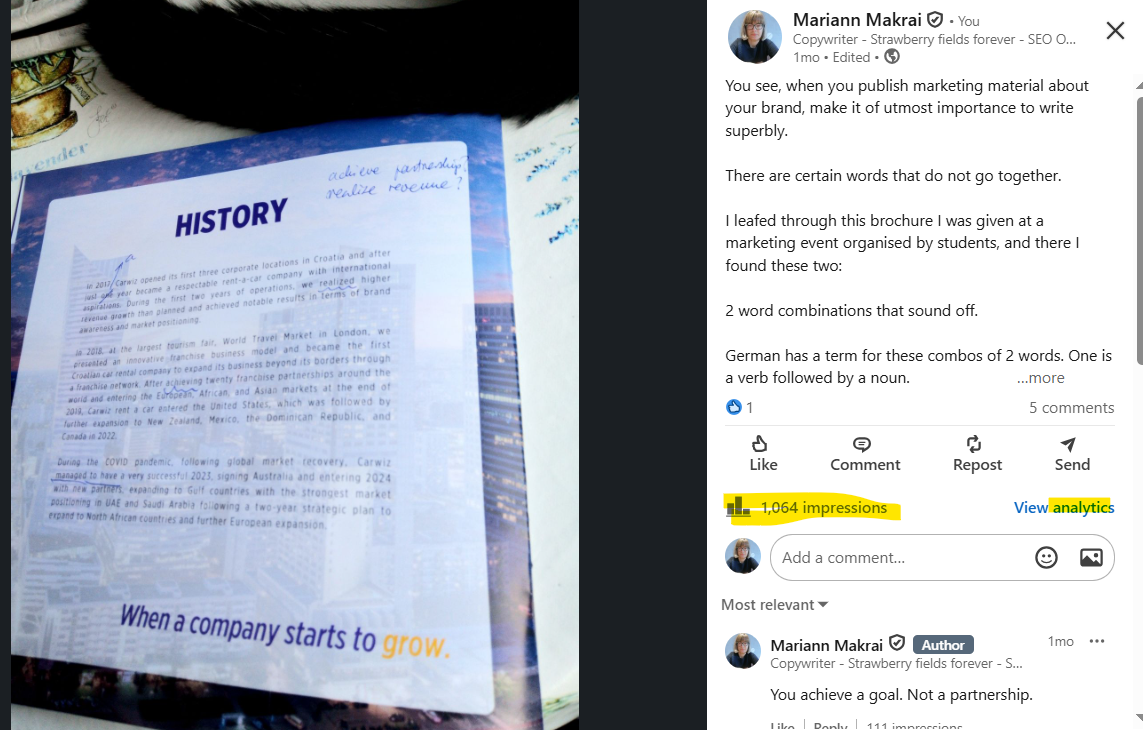
Here’s a Linkedin post that got 1000 views and just 1 comment!
When you tag someone who’s ready to comment, you can grow your posts reach.
From the LinkedIn Post to Checking out Your LinkedIn Summary
A well-crafted LinkedIn post does more than just rack up likes; it acts as a gateway to your profile.
When your post stands out, readers are more likely to click through to your profile—and, ultimately, your Linkedin summary. Here’s how to write that one Linkedin post that will start off your path to building a pesonal brand on Linkedin.
1. Start With a Compelling Hook When Writing Your Linkedin post
Your first sentence is everything.
According to a Forbes article,
“Those first 8 words determine if anyone clicks to see more. Write 10 options then pick the strongest one. A powerful hook pulls people into your world.Try starting with a bold statement, a surprising statistic, or a personal insight.”
2. Keep It Concise and Valuable
Don’t overwhelm your audience with lengthy paragraphs!
Break up your text, use bullet points, and focus on delivering clear value.
Share practical tips, industry insights, or lessons learned. Posts that are easy to read are more likely to be shared and engaged with.
Just yesterday I wrote a Linkedin post on brevity. But, sometimes it’s also insightful to write long, when you have a lot to write about your path to getting where you are now, how you managed to established your business, what difficulties you experience along the way etc. And then include a lot of subjectivity.
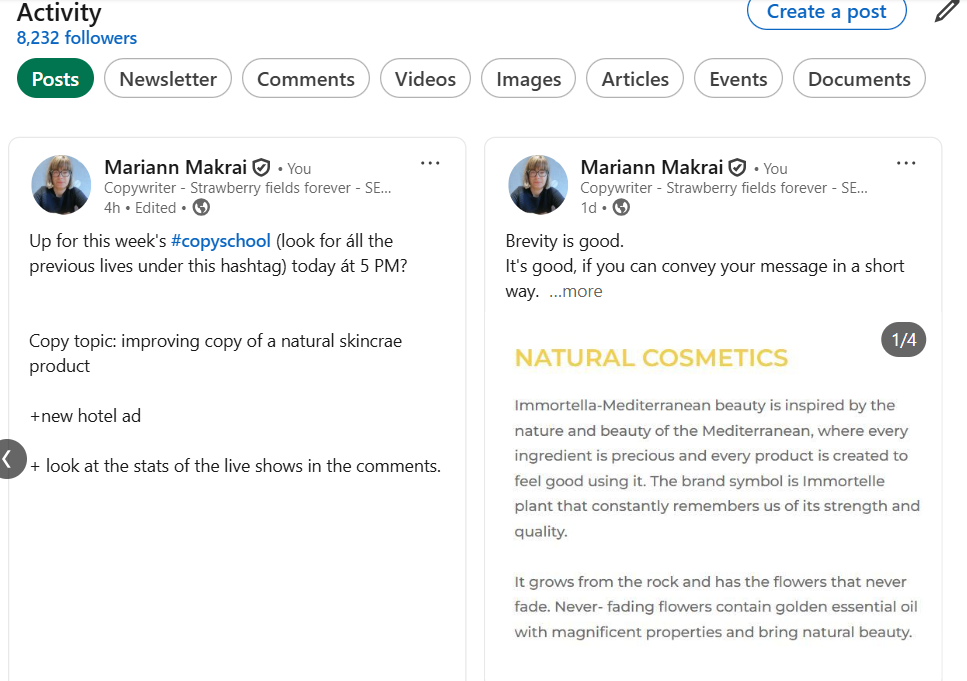
This is a snippet from my Linkedin account’s stats on posts.
3. Add Visuals to Your Linkedin Post
Eye-catching images, infographics, or short videos can dramatically increase engagement.
Visuals help your post stand out in crowded feeds and make your message more memorable.
Furthermore, there are slides and carousels, which also add an extra touch to your Linkedin post, making it even more probable that readers will share with their own network.
4. End With a Call to Action
Just like you have a call to action button (CTA button) on your homepage’s hero section, it’s essential that you end your Linkedin post with a specific invitation.
Encourage readers to comment, share their experiences, or visit your profile for more insights.
For example, a simple prompt like “What’s your experience with this?” or “Check out my summary for more on this topic” can drive clicks to your profile.
How to Write LinkedIn Posts: Step-by-Step
1. Know Your Audience (who you are writing to, who you want to attract as potential clients)
2. Share Stories and Lessons (make it relatable and memorable, don't shy away from showing your private side. But don't overdo it!)
3. Use Structure and Formatting
Headline: Make it attention-grabbing and relevant.
Short Paragraphs: Keep sentences short and easy to scan.
Bullet Points: Use lists for clarity.
Visuals: Add images or videos when possible.
4. Offer Value (don't be too salesy!)
5. Engage and Respond
For more inspiration, check out my LinkedIn blog section where I share real-world examples and analysis.
Ready to Stand Out? Book My LinkedIn Services

1:1 Linkedin Session for a Better Linkedin Profile
Working Together on Your Linkedin Banner, Headline and Summary
This is a guided session. I will be your guide. We will work together on your personal Linkedin profile.
Are you new to Linkedin?
Maybe you’ve got an old profile and you want to improve it?
Or you’d like to add new skills and new qualifications to your headline, but you simply don’t know how to do it?
If you have an old profile, I will help you optimise your Linkedin profile.
A 1-hour session is not enough, but it will be a good start.
You’ll experience the way I work with my clients who have come to me with the same need: to get as much benefit from Linkedin as they can.
That’s why I’m offering you my 2 hours to get to know you and your strengths so that I can bring out the best in you.
In these 2 hours you’ll know what to show and present best.
We’ll work on your headline, banner and About (Linkedin summary) section.
Optimise Your Linkedin Headline, Banner and Summary
Apply Relevant Keywords to Appear in Linkedin Search Results
providing you with an array of topics that you can write about on Linkedin and start building your personal brand
equipping you with the content forms that get the most of organic traffic to your profile
2 hours spent in 2+ online session (Zoom or Google Meet) = 155 EUR
If you’re ready to transform your LinkedIn presence but aren’t sure where to start, I can help.
Book a session with me to get personalized guidance, content ideas, and hands-on support—so you can write LinkedIn posts that truly get noticed.
Visit Tralangia.com to learn more and schedule your session today.